Artifact box
A tool for secure storage and controlled distribution of build artifacts for QA and engineering teams.
Product overview
Artifact Box is an internal build-and-device management tool used by QA and engineering teams in the gaming industry during development and testing. The platform brings together build artifacts, device activation, and external sharing.
Process
- Discovery. Interviews with QA leads and engineers to understand real usage scenarios, roles, and key pain points.
- Analysis. An audit of the current product and a catalogue of every workaround teams had built in real work.
- Validation with users. Checking key insights and early concepts with QA and engineering teams before moving into development — iteratively refining scenarios and prioritizing solutions.
- Design. Designing the new product structure, from low-fidelity flows to high-fidelity interfaces built on MUI.
- Validation with engineers. Aligning solutions on technical feasibility, infrastructure constraints, and integration into existing systems before handoff.
Problem
- No centralized access control. The system didn't provide a unified access model for build artifacts: storage and distribution weren't tied to formal security rules.
- No traceability. There was no way to track where artifacts were or how they spread after being passed between teams and devices.
- Fragmented processes. Work with artifacts and devices ran through manual, scattered practices outside the main system.
- Rising operational load. Teams compensated for the tool's limitations with their own processes and workarounds.
Results
The tool moved from fragmented, workaround-based use to a predictable infrastructure system that teams came to rely on in their daily work.
Security
0%
Of build artifacts under a controlled access model tied to formal security rules.
Traceability
0%
Of transfers tracked end to end — who received each build, and where it went.
Activation
0×faster
Device activation — a simplified flow with fewer steps and lower support load.
Delivered
Discovery & interviewsUser personasUser journeysInformation architectureUX & UIAccess model & permissionsLifecycle trackingAudit trailOne-time share linksUsability testingDesign QA & handoffCross-functional collaboration
01
Stronger distribution security
A controlled access model replaced informal sharing, lowering data-leak risk across artifact distribution.
02
Full traceability
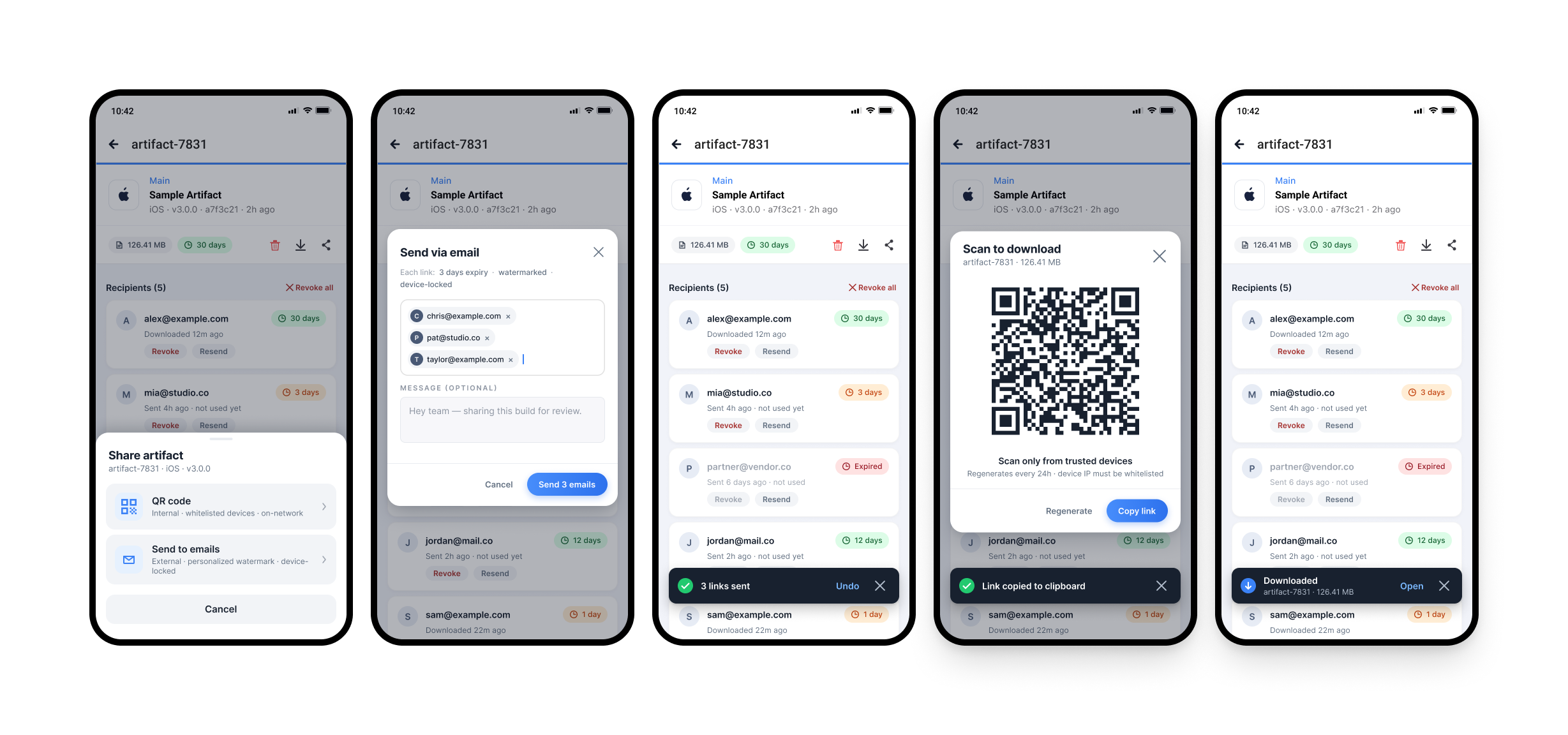
Every transfer is tracked end to end — who received each build, and where it went after handoff.
03
Convenient control
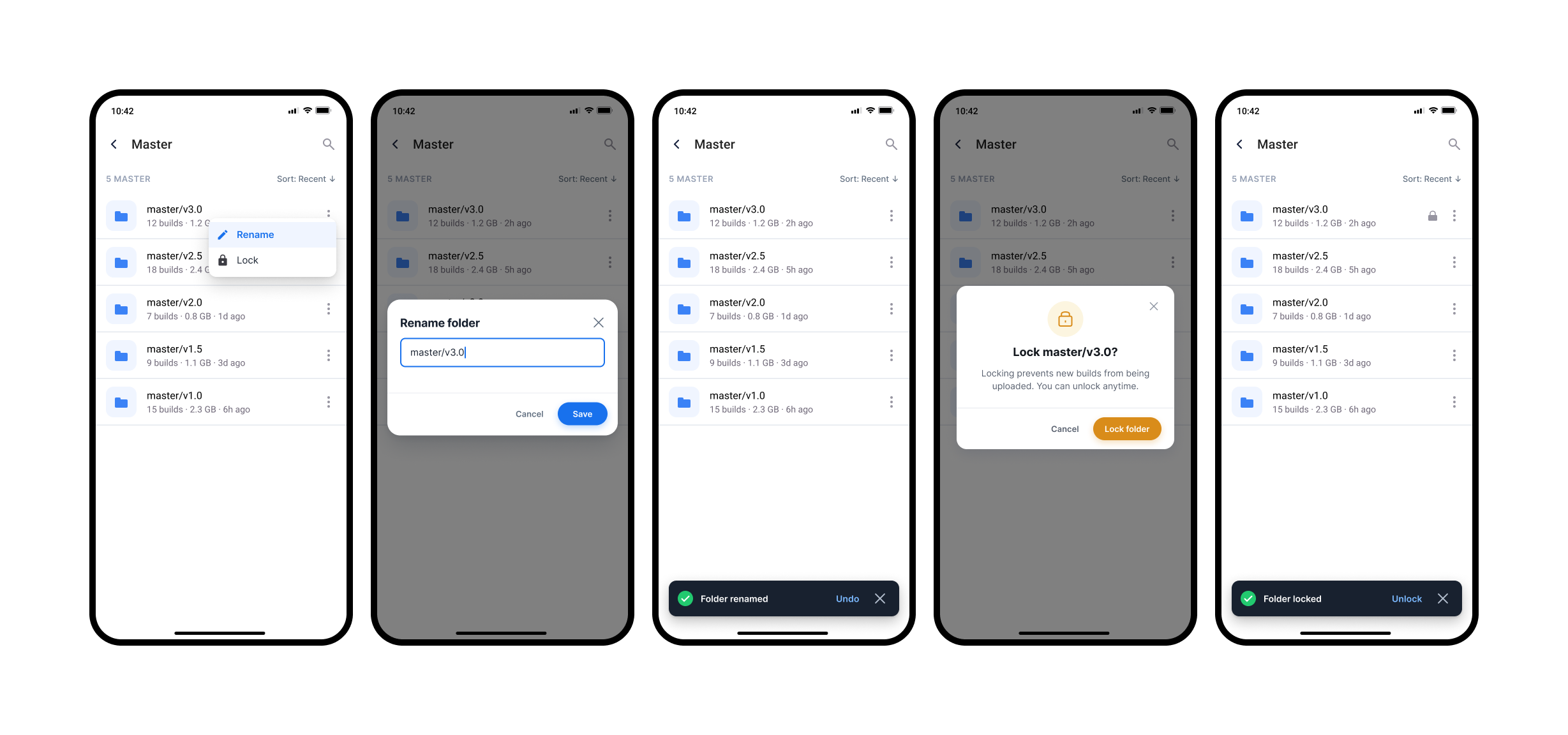
Role-based permissions, folder locking and one-time share links give granular, easy control.
04
Stabilized storage
Automated lifecycle tracking removed manual cleanup cycles and cut operational storage work.
05
Fewer activation errors
A simplified device-activation flow cut the number of steps, reduced errors, and lowered support load.
06
Faster work with artifacts
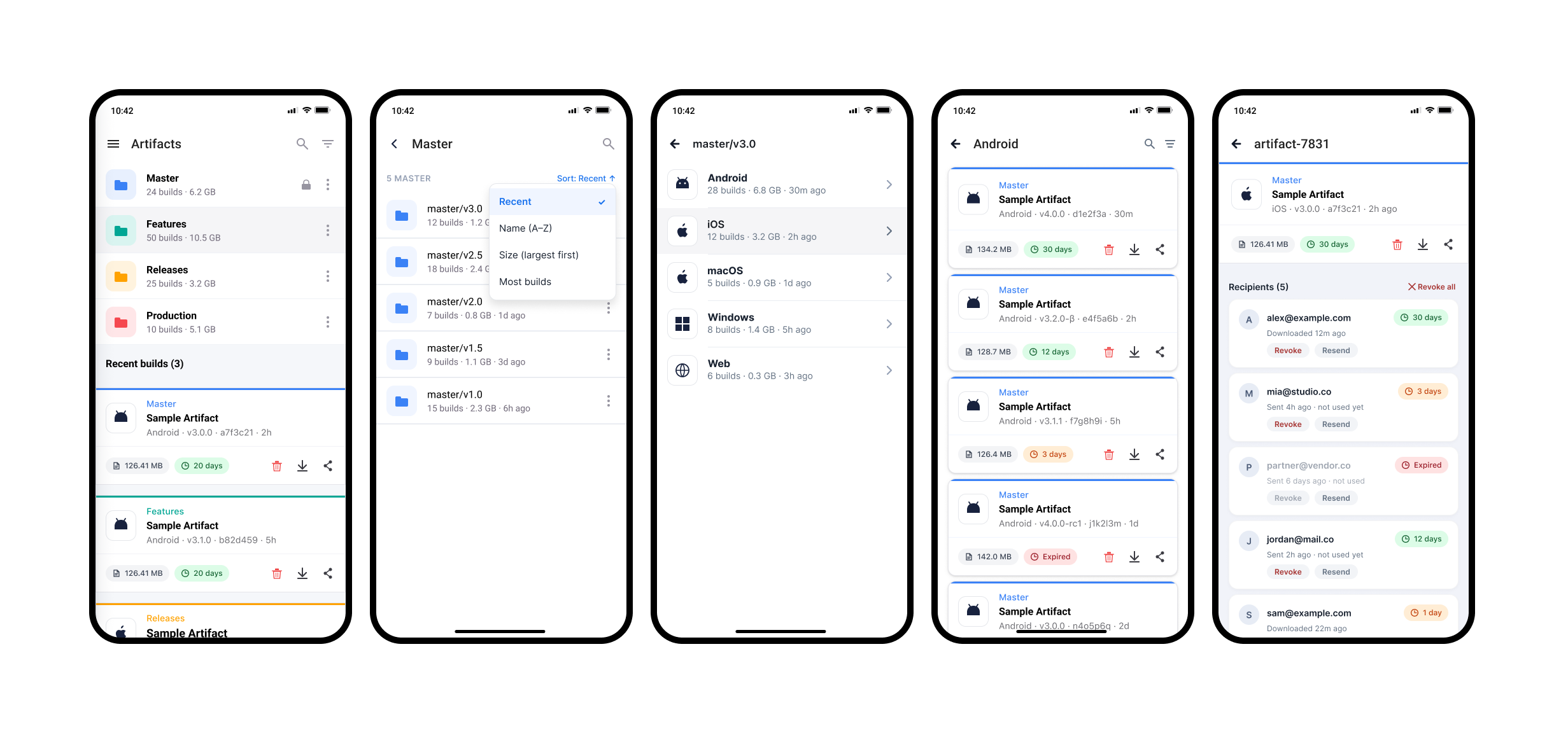
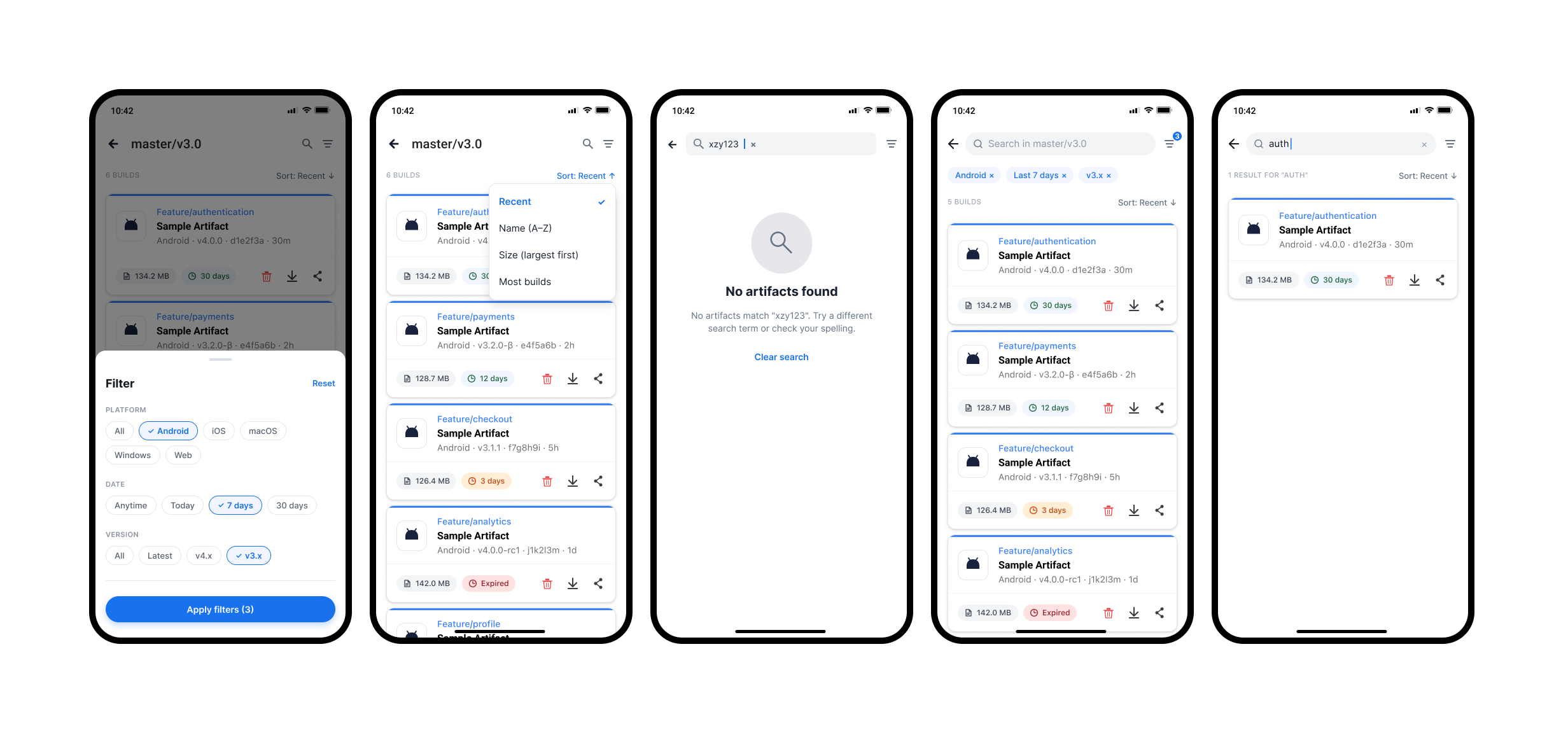
Unified table interfaces reduced context-switching and sped up finding and checking resources.
7 screens
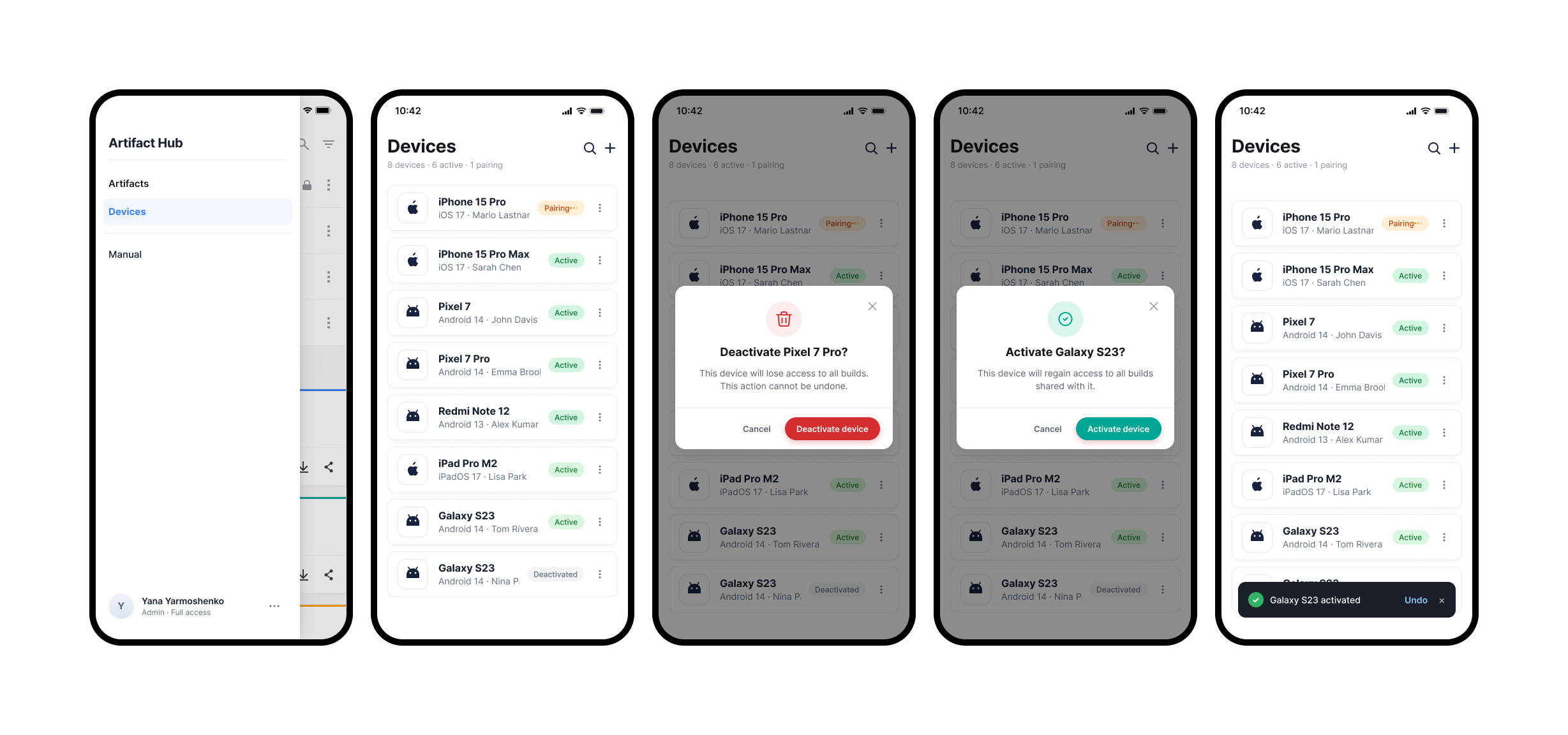
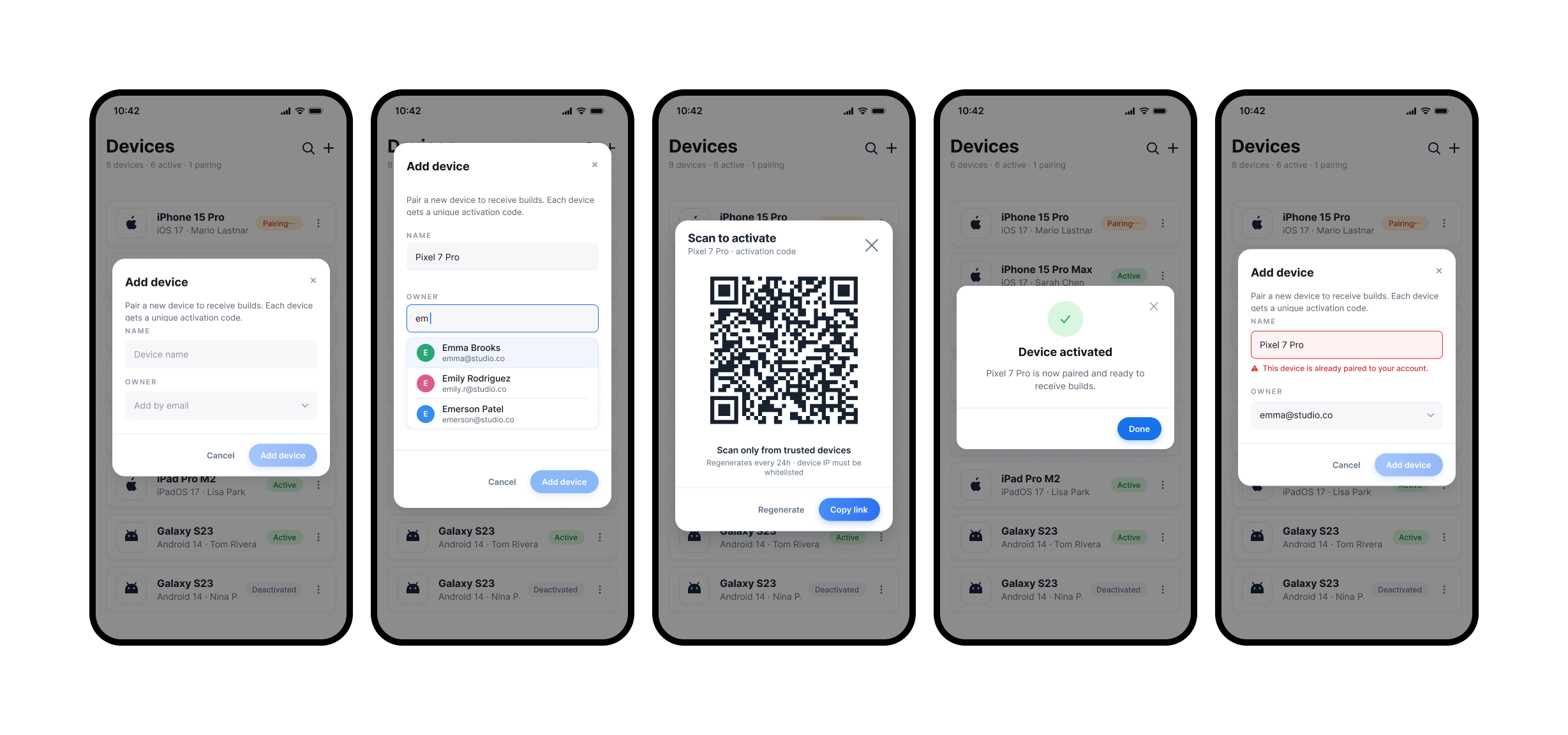
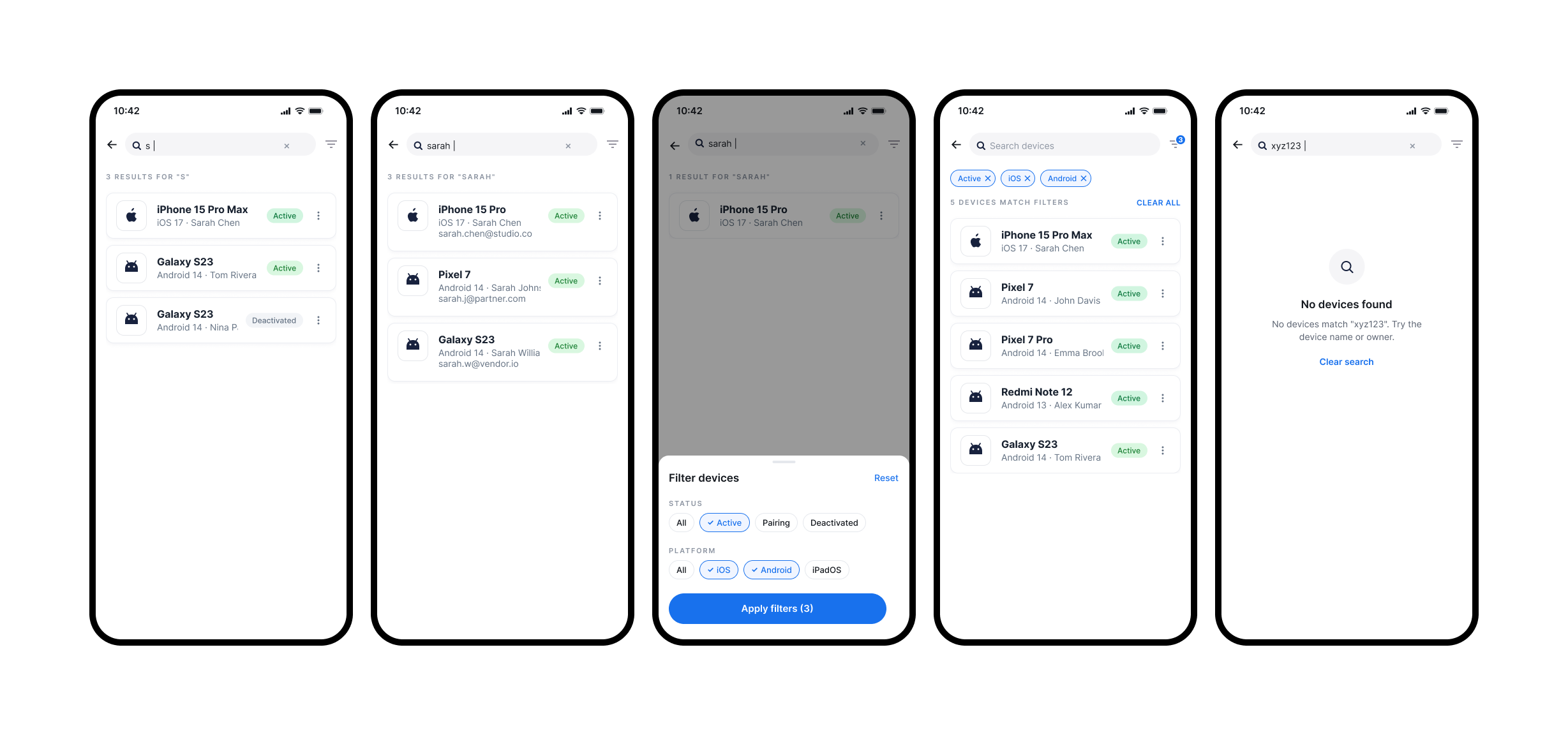
Collaboration
- Product Coordinator. Together we defined user problems, priorities, and constraints. I clarified the task context and validated solutions before implementation began.
- Design Lead. We aligned solutions with the overall product concept, the design system, and visual principles.
- Developers. I supported implementation — explaining scenarios and interactions, discussing technical constraints, and adapting solutions where needed.
- QA. We checked that interfaces matched the scenarios, found UX/UI inconsistencies, and improved the quality of the final product.
- Support team. The main source of user insights. Through interviews and testing, I surfaced problems, tested hypotheses, and validated solutions.
Strategy — coming soon
Personas — coming soon
UX artifacts — coming soon
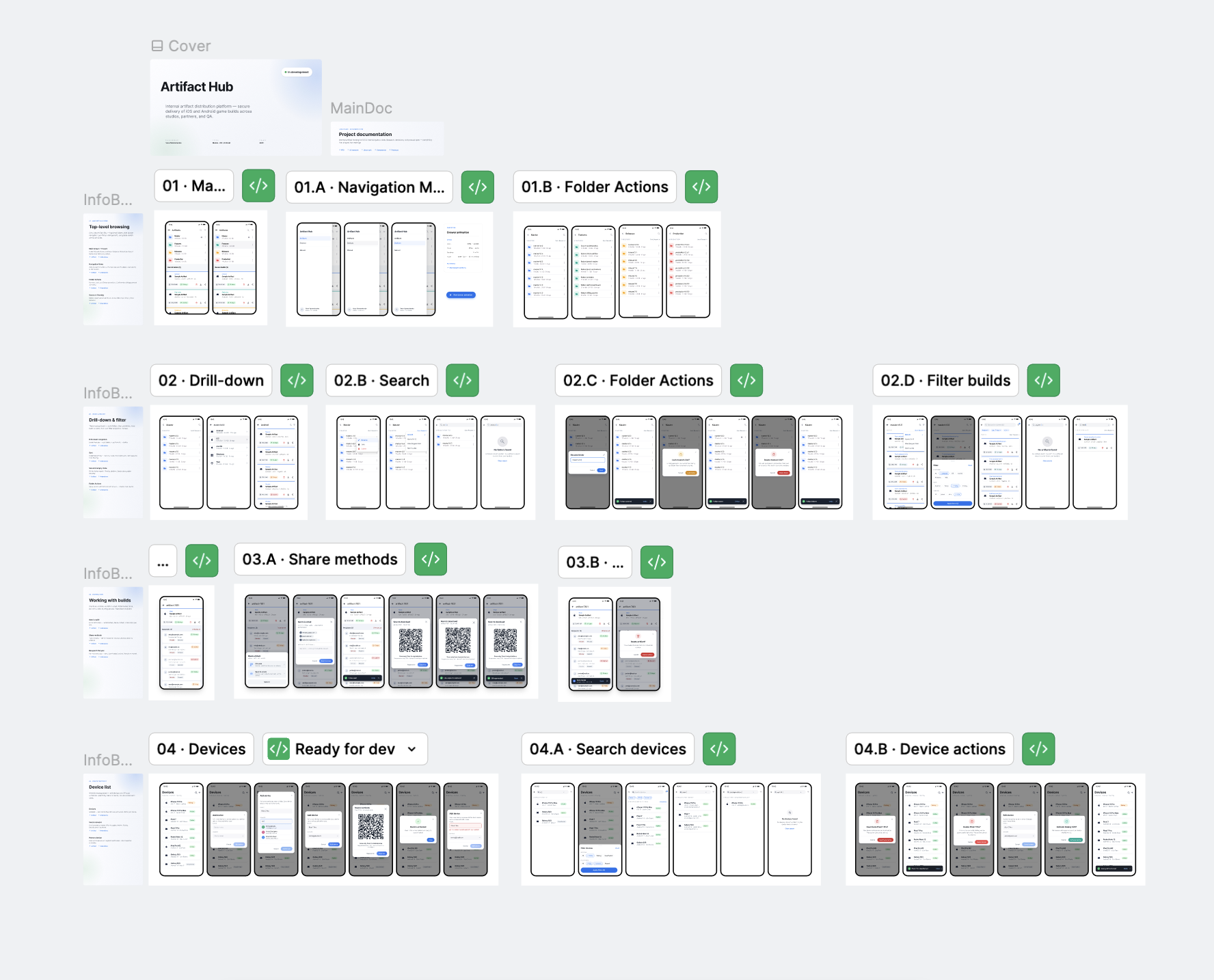
Inside the Figma file
Next project
Pulse